Monitoring software for Windows

Your entire process,
on a single screen

Ditel Studio connects your DITEL devices and any Modbus TCP equipment into configurable dashboards. No cloud, no servers, no per-user subscriptions.
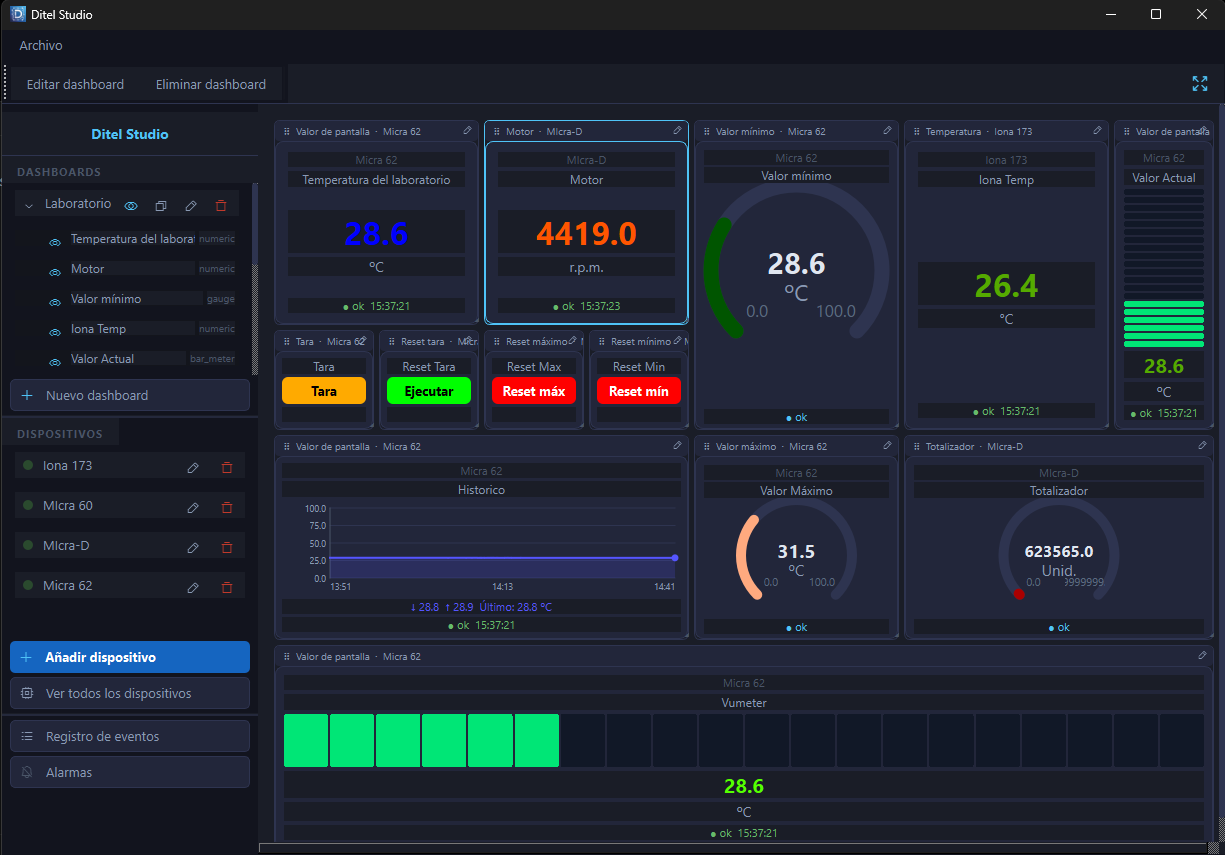
Ditel Studio — Real desktop screenshot
Ditel Studio
Ditel Studio running on Windows 11
100%
No internet dependency
4+
Device types
65,536
Available Modbus registers
Win 11
Native · no Java · no browser
Features

Everything you need to monitor your plant

No pay-per-module tools, no external integrators. Install, connect, and monitor.

Customizable dashboards

Build control screens by dragging and resizing widgets. Every variable where you need it, sized the way you want. Multiple dashboards per project.

Real-time alarms

Set high and low thresholds per variable. When a limit is exceeded, the widget flashes and the event is logged with date, value, and condition — no external services required.

Trend charts

Check the historical evolution of any variable directly on the dashboard, with zoom and export. No external databases or extra configuration.

Universal Modbus TCP

Connect to any PLC, drive, or sensor that speaks Modbus TCP. Define the register map using classic notation (40001–49999), with every data type and byte order.

100% local, no cloud

Your data never leaves your network. Works in offline environments, on isolated networks, with no subscription to external services. Local install, local data.

Configurable polling

Set the read interval per device independently — from once-a-second reads for critical processes to hourly reads for environmental monitoring.

Dashboard widgets

A widget for every way of looking at your data

All of them read from both REST API and Modbus TCP, with a configurable read frequency, and can be freely repositioned and resized on the dashboard.

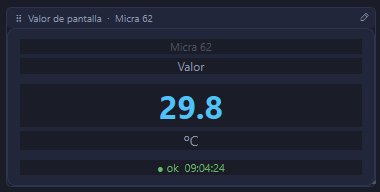
Value widget
01

Value

Displays the value of a device variable, with configurable display color. Lets you adjust setpoints from the device itself (REST API) or manually, which trigger alarms.

API REST Modbus TCP
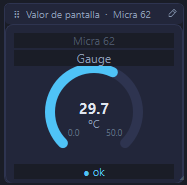
Gauge widget
02

Gauge

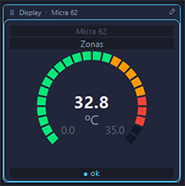
The same variable as the Value widget, shown as a needle on a dial. Same color, setpoint, and alarm controls, with a more visual read at a glance.

API REST Modbus TCP
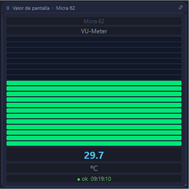
LED bar widget (VU-meter)
03

LED bar (VU-meter)

Represents the variable as a ladder of LEDs, in the style of a VU meter. Horizontal or vertical orientation depending on the space available on the dashboard.

API REST Modbus TCP
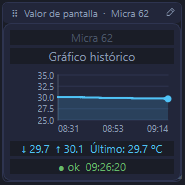
Historical chart widget
04

Historical chart

Plots the most recent data collected from the device on a chart, so you can follow how the variable evolves over time without leaving the dashboard.

API REST Modbus TCP
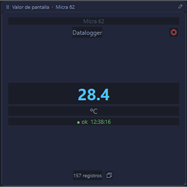
Datalogger widget
05

Datalogger

Same as the other widgets, but it also stores the data it reads in a CSV or JSON file. It can be hidden on the dashboard and will keep logging in the background.

API REST Modbus TCP
Buttons widget
06

Buttons

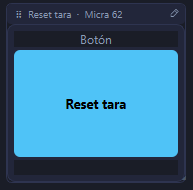
Trigger actions on the equipment: a REST API POST or writing to a Modbus TCP Coil, to send commands directly from the dashboard.

API REST Modbus TCP

Position and size of any widget are freely adjustable right from the dashboard, by dragging and resizing.

Compatible devices

DITEL equipment and standard Modbus TCP protocol

Native support for the full DITEL range, no extra configuration. Universal connectivity for the industrial Modbus ecosystem.

DITEL Native

IONA Basic

Indoor air-quality sensor with built-in REST API. No manual protocol configuration.

Temperature
Relative humidity
CO₂
DITEL Native

IONA Multisensor

Multi-parameter station with interchangeable probes and REST API v3. Up to 15 simultaneous variables.

CO₂, Temperature, Humidity
PM1.0, PM2.5, PM4.0, PM10
Differential pressure
Particle number concentration #/cm³
DITEL Native

MICRA MAX

Universal process indicator with built-in webserver. For weighing, temperature, flow, or any analog signal.

Display value
Historical min / max
Setpoints 1–4
Actions: tare, reset
Modbus TCP

Generic device

Any industrial equipment with standard Modbus TCP protocol. PLCs, drives, energy meters, smart sensors.

Holding Registers (4x: 40001–)
Input Registers (3x: 30001–)
Coils and Discrete Inputs
U16, I16, U32, I32, F32, Bool
Modbus TCP

Classic notation,
Siemens-style configuration

Define your registers using the notation plant engineers already know (40001 for Holding, 30001 for Input), and choose the right data type and byte order for each manufacturer.

ABCD
Big-Endian — Modbus standard, the most common
BADC
Big-Endian swap — Siemens S7, ABB
CDAB
Little-Endian swap — Drives, Allen-Bradley
DCBA
Little-Endian — Native PC (uncommon)
Register map — PLC Line 1
Addr. Type Data Name Unit
40001 4x Float32 inlet_temperature °C
40003 4x Float32 flow_m3h m³/h
40005 4x UInt16 motor_speed_rpm rpm
30001 3x UInt16 pressure_bar bar×10
10001 1x Bool motor_running
Licenses

Start for free, scale when you need to

No hidden costs, no per-seat licenses. One installation per site, single annual price.

Free
€0 / forever
For installations with DITEL equipment, with no time limit.

  • DITEL devices (IONA, MICRA MAX)
  • Unlimited dashboards
  • Visual alarms and logging
  • 7-day history
  • Configurable polling per device
  • Modbus TCP
  • CSV export
Download
Most popular
Standard
Contact us
Annual license per site. For integrations with third-party PLCs and equipment.

  • Everything in Free
  • Unlimited Modbus TCP
  • Configurable register map
  • 30-day history
  • Data types: U16, I16, U32, I32, F32, Bool
  • CSV export
  • Extended 90-day retention
Request pricing
Professional
Contact us
Annual license per site. For installations with traceability requirements.

  • Everything in Standard
  • CSV export of history
  • 90-day retention
  • Email alarms
  • Priority DITEL support
  • Updates included
Request pricing
Ready to start?

Request a demo for your facility

Our technical team can set up Ditel Studio with your real devices in under an hour.